A WebListboxCellRenderer that acts as a WebPopupMenu. Compatible and tested with Xojo 2025r2.1
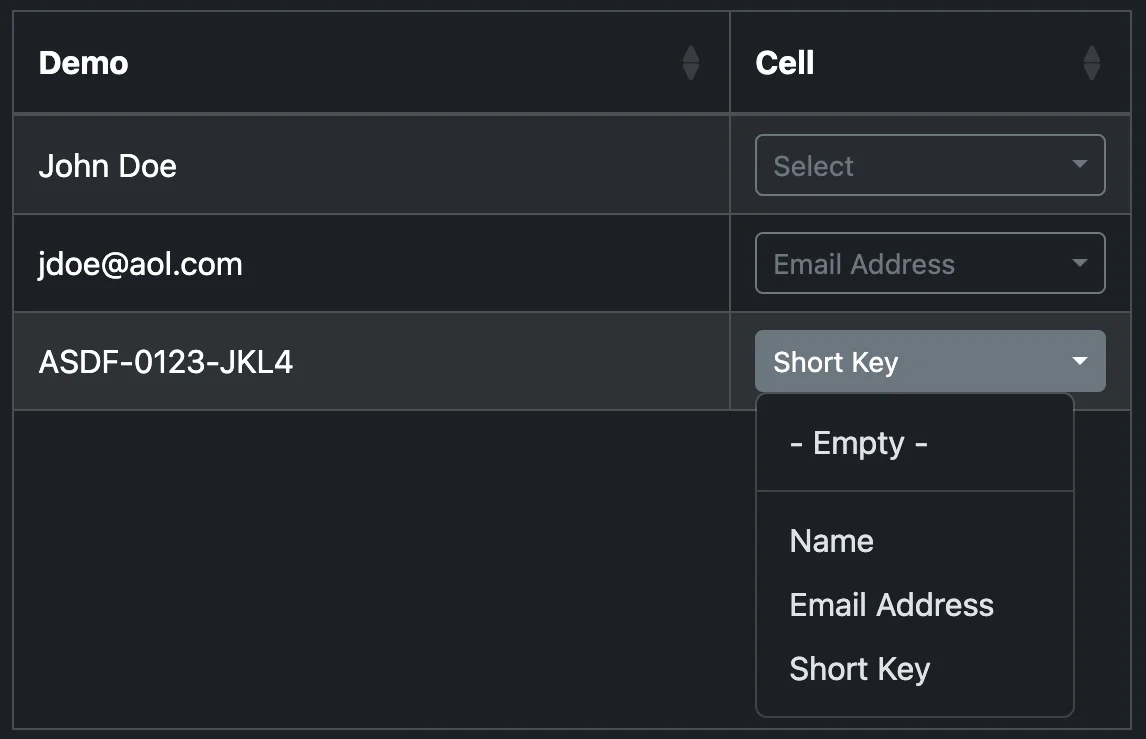
Captions() as String
String array of row captions for the cell's PopupMenu.
HasNoSelectionOption as Boolean = false
Toggle the "- Empty -" option. This option is invisible to the Xojo code. When the user selects the "- Empty -" row, the CustomCellAction Event is sent a value of -1.
SelectedIndex as Integer = -1
Set the pre-selected PopupMenu row caption by index.
A side effect of the WebListboxCellRenderer design is that the PopupMenu DOM objects remain in the browser. Cleaning up the DOM when the WebListbox is closing is unfortunately not automatic. It is easy though.
In the Closed Event Handler for either the parent WebPage or the WebListbox itself, call the PopupCellRenderer.CleanupDOM Shared Method. The method will send the JavaScript to the Session object so that the hidden menu objects are removed.
When the user selects a row from the PopupMenu the Xojo Web App will receive a CustomCellAction event where the identifier = "SelectedRowIndex". The value property will hold the selected index, matching the Caption() array. To ensure consistency, pull the PopupCellRenderer out of the WebListbox to fetch the caption.
if identifier = "SelectedRowIndex" then
  var oCell as WebListboxCellRenderer = me.CellRendererAt(row, column)
  if oCell isa PopupCellRenderer then
    var oPopup as PopupCellRenderer = PopupCellRenderer(oCell)

    if value < 0 then
      // No selection "- Empty -"

    else
      // Selected oPopup.Captions(value)

    end

  end

end
Please don't hesitate to contact me if you need any help. support@strawberrysw.com
© 2025 Tim Parnell https://timi.me